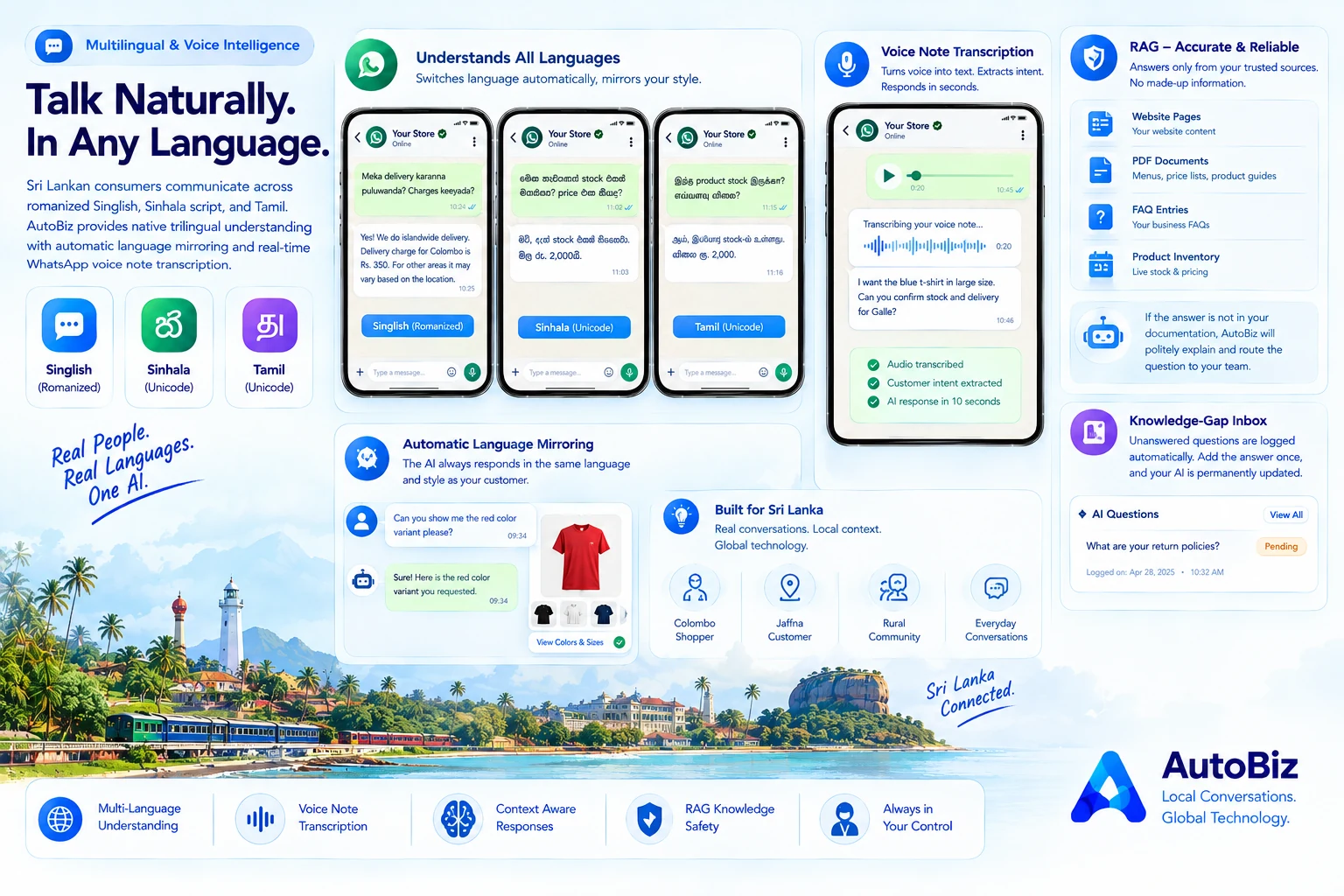
Sri Lanka has one of the most culturally diverse and linguistically nuanced consumer markets in South Asia. Standard English-only chatbots fail because local shoppers naturally communicate in colloquial mixtures.
A shopper in Colombo might ask: *"Meka delivery karanna puluwanda? Charges keeyada?"*. A customer in Jaffna will ask in Tamil script. Another customer might send a 20-second WhatsApp voice note describing what they want.
What is Auto-Language Mirroring?
AutoBiz does not force customers into rigid English menus. When a customer writes in Singlish, the AI understands the colloquial context and responds in natural, respectful Singlish.
If the customer switches to formal Sinhala unicode or Tamil, the AI automatically detects the script change and replies in that exact language.
Instant WhatsApp Voice Note Transcription
Voice notes are the fastest way for customers on mobile phones to explain custom requirements, delivery landmarks, or service inquiries.
AutoBiz integrates advanced speech-to-text models that transcribe audio notes directly from the WhatsApp media stream. The audio is transcribed, customer intent is extracted, and a factual text response is generated in under 10 seconds.
The Zero-Hallucination Knowledge Policy
A common fear among business owners is that AI might invent inaccurate pricing or false return policies. AutoBiz solves this using strict Retrieval-Augmented Generation (RAG).
The AI only answers based on your uploaded business PDFs, FAQ entries, website pages, or shop inventory. If a question is outside your documentation, the AI politely explains that it does not have that detail and routes the inquiry to your team.
The Knowledge-Gap Inbox
Whenever the AI encounters an unanswerable question, it does not stop there. The question is automatically logged in your Knowledge-Gap Inbox (/dashboard/ai-questions). You can type the answer once, and your AI is permanently updated.