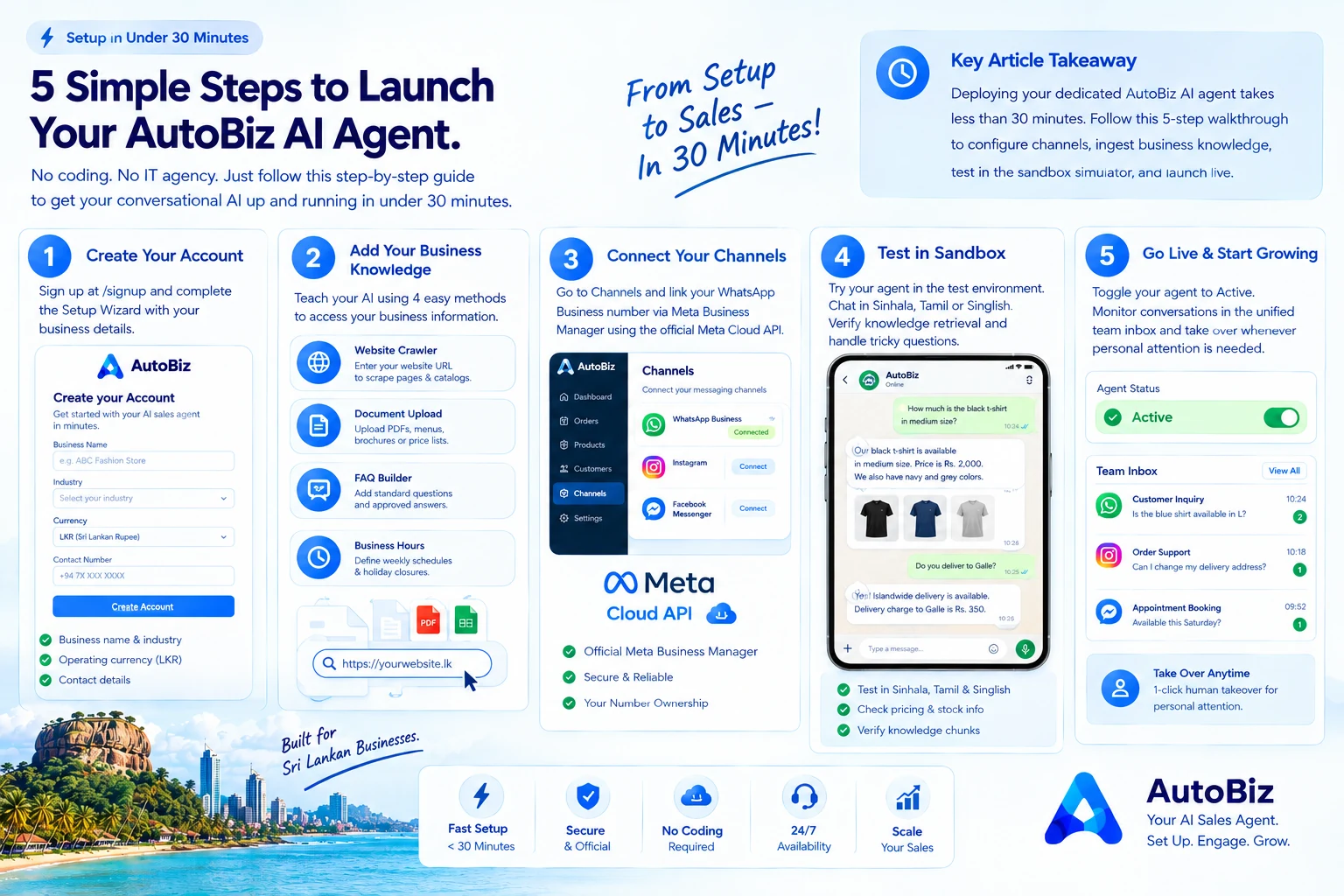
Setting up conversational AI for your business shouldn't require an expensive IT agency or months of complex software development.
AutoBiz was built to get Sri Lankan merchants up and running in under 30 minutes. Here is the step-by-step walkthrough:
Step 1: Account Creation & Setup Wizard
Create your free account at /signup. Upon login, the Setup Wizard (/dashboard/setup-wizard) guides you through entering your business name, industry, operating currency (LKR), and contact details.
Step 2: Ingest Your Knowledge Base
Feed your business information to the AI using 4 easy methods:
Step 3: Connect Your Official Meta WhatsApp Number
Navigate to Channels in your dashboard. Connect your WhatsApp Business number via Meta Business Manager using the official Meta Cloud API.
Step 4: Test in the Agent Sandbox Simulator
Before letting your agent interact with live customers, test it in the Agent Sandbox (/dashboard/test-agent).
Chat in Sinhala, Tamil, or Singlish. Ask tricky pricing questions and test edge cases. Verify that the retrieved knowledge chunks match your expected guidelines.
Step 5: Go Live & Monitor in the Team Inbox
Toggle your agent to "Active". Your AI is now responding to inquiries 24/7. Supervise conversations in the unified team inbox (/dashboard/conversations) and take over whenever personal attention is needed.